Environment animations allows you to animate the rotation of your environment as well as the sun position for your Sun & Sky environment.
Last updated 3 August 2026
Environment animations allows you to animate the rotation of your environment as well as the sun position for your Sun & Sky environment.
Adding an Environment Animation
To add an environment animation right-click the environment you want to animate, select Animation and the desired animation type. Or use the Animation Wizard to help you set up the animation.
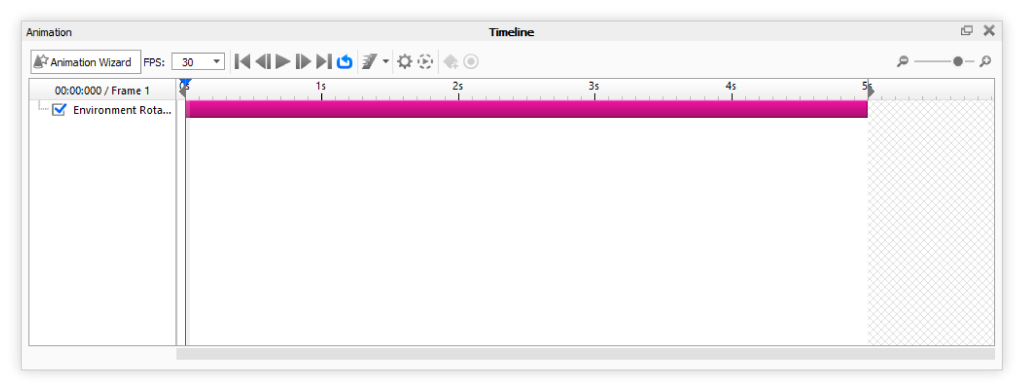
The environment animation is represented as a pink node in the timeline.
Adjust the properties for your animation and you’re good to go. See the Animation Timeline page for more information about the options in the timeline.
Environment Rotation
This animation allows you to rotate your environment.
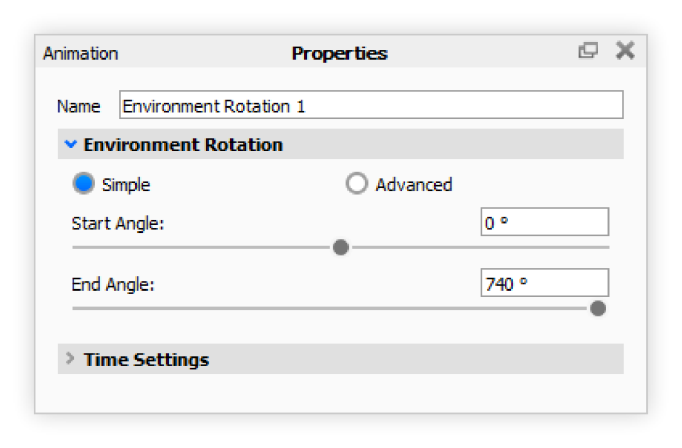
Basic/Advanced You can choose between creating a basic rotation or an advanced rotation. With the basic rotation you have the Start Angle and End Angle parameters, while with advanced rotations, you will have a curve editor.
Start Angle Sets the angle that the environment rotation should start at.
End Angle Sets the angle that the environment rotation should end at. Note that this can go above 360 degrees to create multiple rotations.
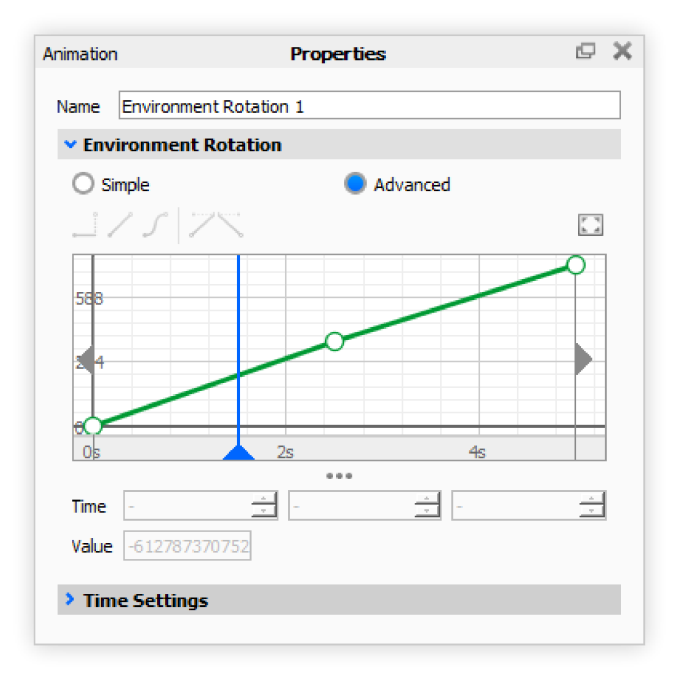
Curve Editor If Advanced mode is selected, a curve editor will be shown. With the curve editor you can create more advanced environment rotations. Above the curve editor, you can select different forms of interpolation between the each key. To insert a new key, right-click in the curve editor, and press “Add Key”.
Sun & Sky Day Arc
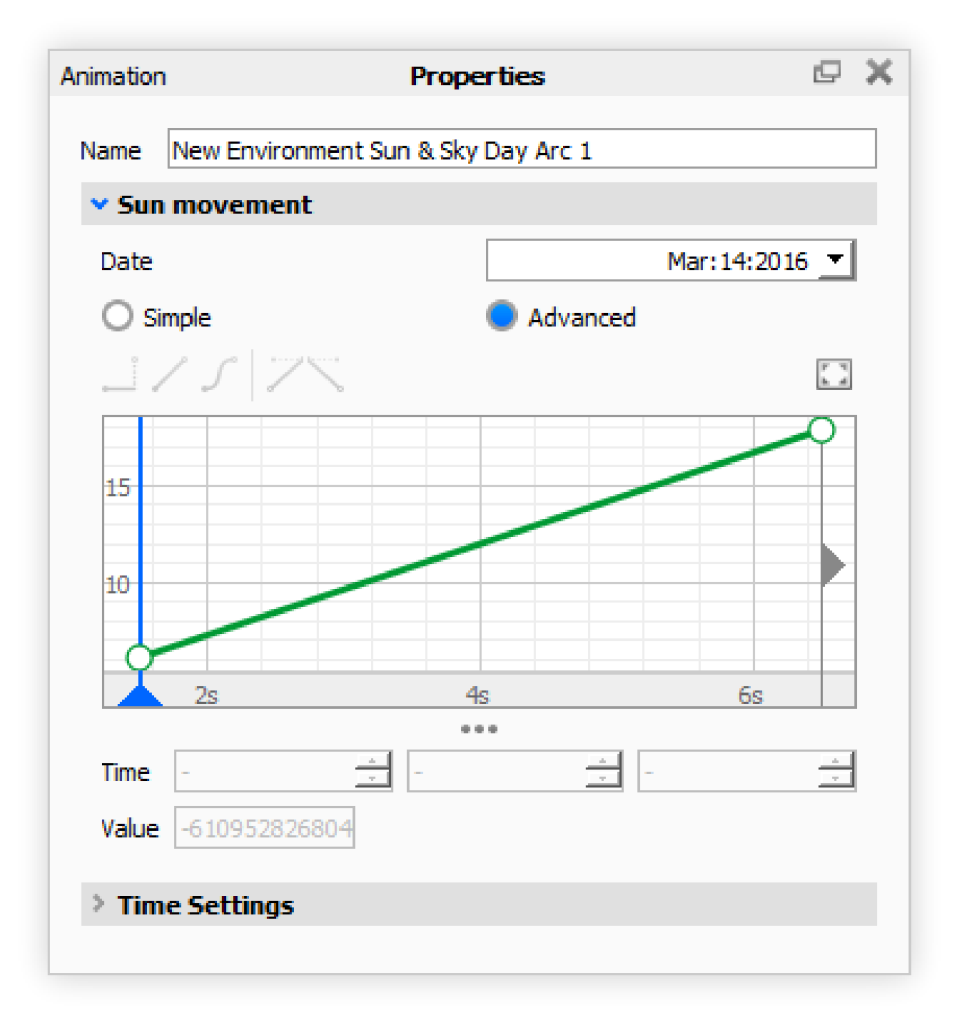
The Sun & Sky Day Arc animation allows you to create animations simulating the sun’s rotation during the day.
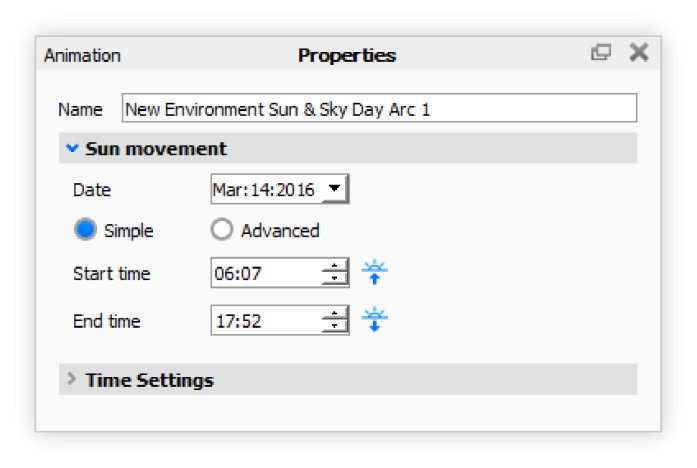
Date This parameter decides the date of the year that the simulation is using for animating the sun’s position.
Simple/Advanced You can choose between creating a basic day arc or an advanced day arc. With the basic day arc you have the Start time and End time parameters, while with advanced day arc, you will have a curve editor.
Start time The start time parameter sets the time of day that the animation should start at.
End time The end time parameter sets the time of day that the animation should end at.
Curve Editor If Advanced mode is selected, a curve editor will be shown. With the curve editor you can create more advanced environment Day Arc animations. Above the curve editor, you can select different forms of interpolation between the each key. To insert a new key, right-click in the curve editor, and press “Add Key”.
Environment Brightness Animation
This animation allows you to animate the brightness of your environment.
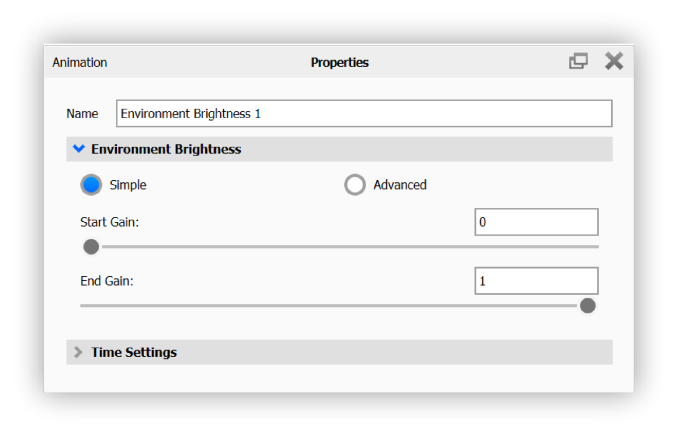
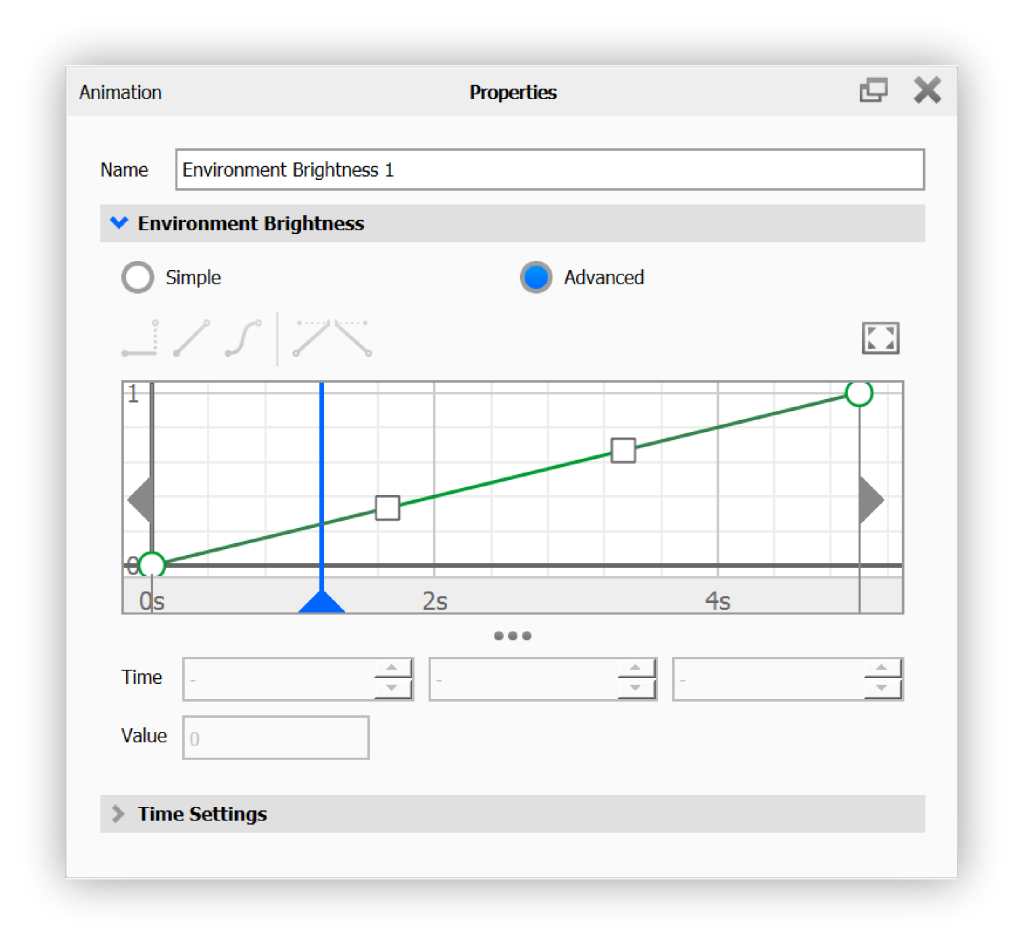
Simple/Advanced You can choose between creating a simple brightness animation or an advanced brightness animation. With the simple one you have the Start Gain and End Gain parameters, while in the advanced section, you will have a curve editor.
Start Gain The start gain parameter sets the start brightness of your environment.
End Gain The end gain parameter sets the end brightness of your environment.
Curve Editor If Advanced mode is selected, a curve editor will be shown. With the curve editor you can create more advanced environment brightness animations. Above the curve editor, you can select different forms of interpolation between the each key. To insert a new key, right-click in the curve editor, and press “Add Key”.