
Use the Paint material type for plain, non-metallic paint. Set the base colour, then adjust the clear-coat over it. |
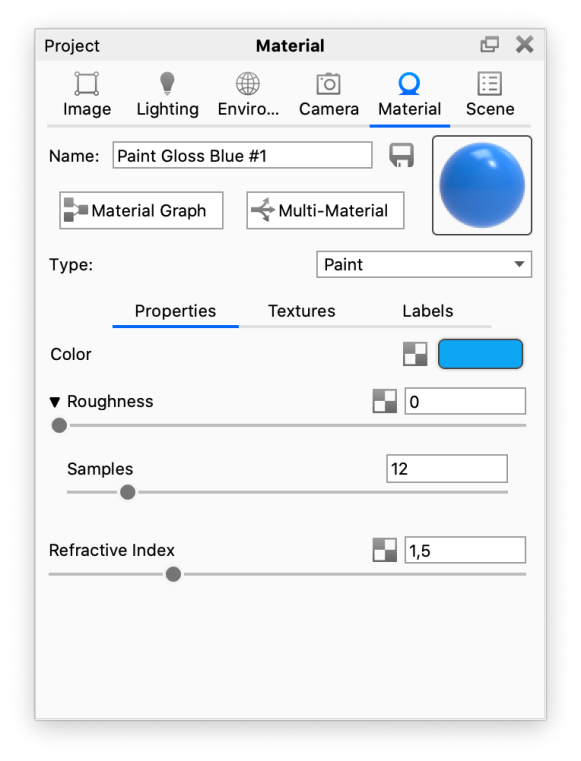
Color Colour sets the base layer of paint and the material's overall colour. Click the colour thumbnail to open the Color Picker. Select the colour you want. To match a specific paint, enter its measured values through the Material Graph as described below. Roughness Increasing this value adds microscopic surface imperfections. At 0, the material appears perfectly smooth and polished. Higher values scatter light across the surface, making it appear rougher. Samples A low samples setting (8 or lower) tends to make the surface look noisier, rougher and less even. Increase the value to smooth out the noise and distribute the roughness more evenly. |
Refractive index
This controls the clear-coat intensity. Start at 1.5 for general use. Increase the value for shinier paint. Reduce it towards 1 to weaken the clear-coat effect and create a matte finish.

Measured Paint In KeyShot Studio Pro, you can enter measured paint values through the Material Graph. In the Material Graph window's Main Menu, select Material > New Measured Paint. This opens a dialogue where you enter the material's measured values. KeyShot converts these values into a regular Paint material node. | Fig. 1 shows SCI mode on the left and SCE mode on the right. |
Mode
- SCI – Specular Component Included measures both specular and diffuse reflected light, so surface conditions do not affect it. It is the most widely used measurement mode in the industry because it is considered to measure the "true" colour.
- SCE – Specular Component Excluded measures only diffuse reflected light, so surface roughness and glossiness affect it. A rough material scatters more light and has less specular reflection than a glossy material. It therefore appears lighter in an SCE measurement than the same colour on a glossy surface, where most reflected light is excluded from the measurement. This is closer to how the human eye perceives colour. Use SCE when you want the colour to look the same as the reference material.
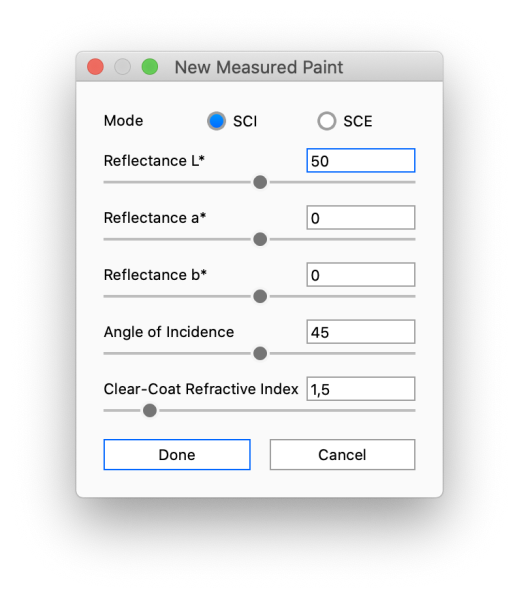
Reflectance L* Reflectance a* Reflectance b* Angle of Incidence Clear-Coat Refractive index |