KeyShot Studio
Position and Orientation
Default setting for defining position and orientation of the camera.
Last updated 3 August 2026
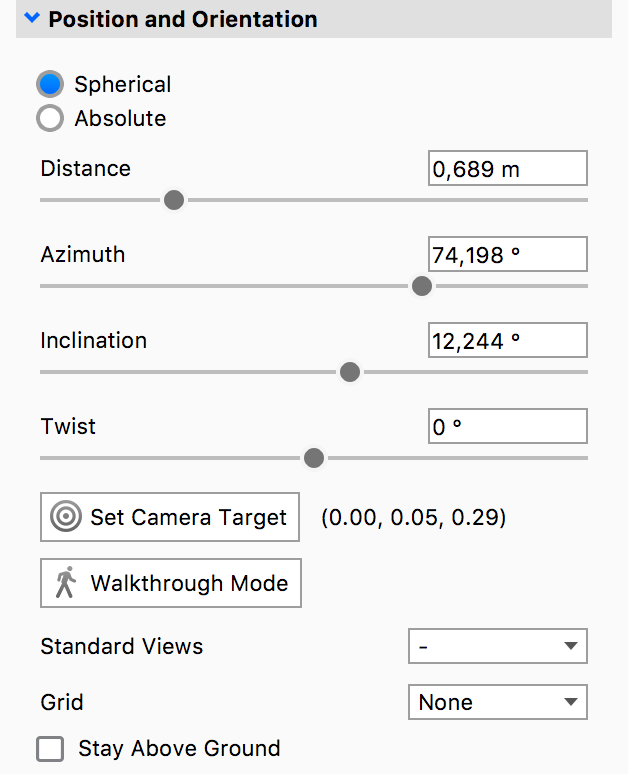
Camera Mode – Spherical
Default setting for defining position and orientation of the camera.
When using the default Spherical definition all values reflect camera position in relation to the static Camera Target.
Distance
Distance between the Camera Target and Camera in scene units. Setting this value too low can lead to the camera being “inside” the 3D model. This can be controlled with the mouse scroll wheel. The direction can be inverted in Preferences.
Azimuth
Rotation around KeyShot Studio up (Y) axis, measured in degrees.
Inclination
Defines camera tilt, or vertical rotation from horizontal plane.
Twist
Twists/rotates the camera around its own axis.
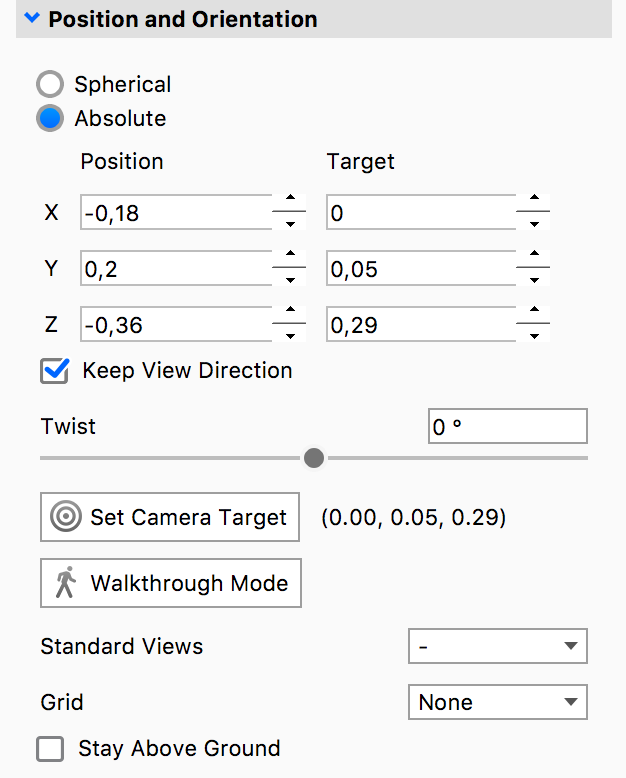
Camera Mode – Absolute
Here you can set the position of the camera (Position) and the camera target (Target) relative to the global X-axis, Y-axis, and Z-axis.
Position
Defines X/Y/Z coordinates of camera location in scene units.
Target
Defines X/Y/Z coordinates of Camera Target in scene units.
Keep View Direction
Locks View Direction for Position/Target changes. When unchecked, the camera will keep looking at the target while the Position values are changed. If the checkbox is checked, the camera direction will be kept and therefore the Target point will change as the Position is changed.
Twist
Twists/rotates the camera around its own axis.
Walkthrough Mode
See Walkthrough Mode for more information.
Standard Views
Quickly access camera presets based on common orthographic directions. Note that this does not automatically change the camera to the orthographic lens only the position of the camera.
Grid
Enables on-screen grid which can be helpful for image composition and camera placement. The grid will not be visible in rendered output.
Stay Above Ground
This option allows all camera movements to be restricted to the upper hemisphere. This is useful for scenes where bottom views are undesirable.