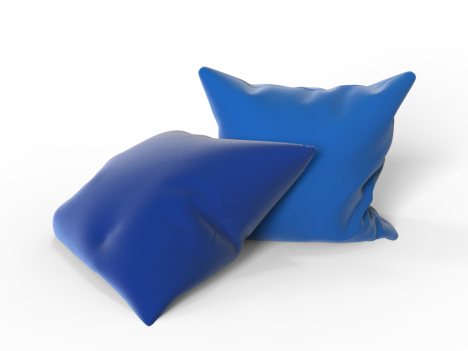
Use the Velvet material to create soft fabrics with the light-catching effects of fine fibres in tightly woven fabric. You can create most fabric materials with RealCloth, Plastic or Advanced. The velvet material gives you controls that other material types do not have. |
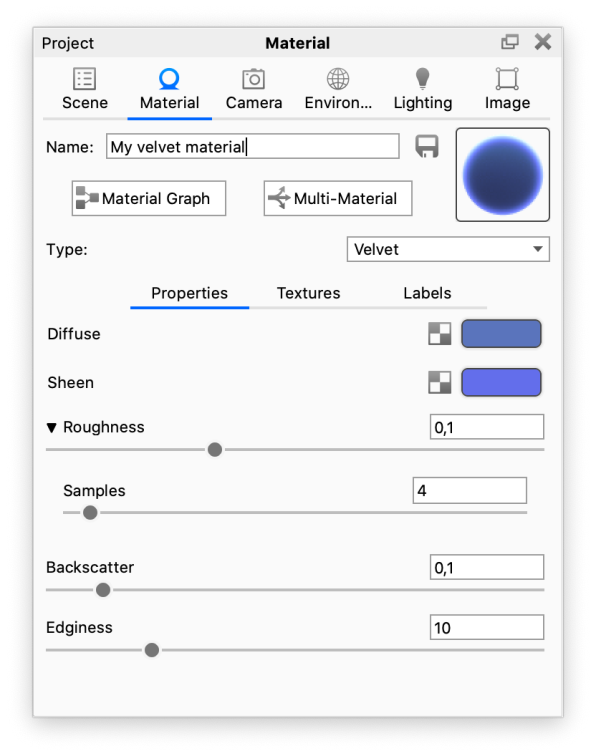
Diffuse This sets the material's overall colour. Use dark colours for the diffuse and sheen settings where possible. Light colours can make the material look unnaturally bright. Sheen The sheen colour appears as light reflected across the surface from behind, as though the surface is backlit. This setting works with the edginess control to add a soft sheen across the material. It also sets the backscatter colour. Choose a colour similar to the diffuse colour, but slightly brighter. Roughness Roughness controls how evenly backscattered light spreads across the surface. A low value keeps the light in smaller areas. A high value spreads it evenly across the entire object. |
Backscatter
Backscatter spreads light across the entire object and is most visible in shadowed areas. It gives the surface a soft look. The sheen control sets the colour of this light.
Edginess
Edginess controls how far the sheen spreads over the surface. A low value makes the sheen fade gradually. A high value creates a bright border of sheen around the surface edges. A setting of zero turns off the sheen effect.
Samples
Samples controls how grainy or smooth the backscatter appears. A higher value makes the scattered light smoother and more even. A low value produces coarser grain or noise. A higher setting, around 32, is often preferred for a smoother result.