Materials in 3D Warehouse
3D Warehouse can help you find a variety of materials to help you realize your designs. You can also share materials you have created with the SketchUp community.When you select a material, you can add it to your Likes or save it to a Collection just like you would a model.
Last updated 17 July 2026
3D Warehouse can help you find a variety of materials to help you realize your designs. You can also share materials you have created with the SketchUp community.
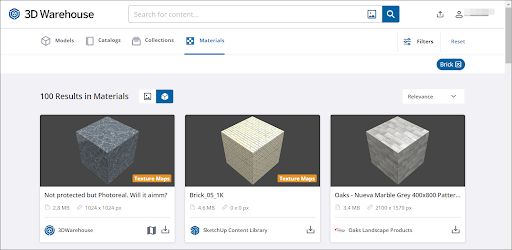
When you select a material, you can add it to your Likes or save it to a Collection just like you would a model. You can also view all available details like Resolution, Physical Size, or the material’s associated texture maps.
For more information about materials in 3D Warehouse, take a look at the following articles:
- Searching for Materials – How to use 3D Warehouse’s search tools to find the materials you are looking for.
- Downloading Materials – The steps to follow to download a material into your model or as a standalone file.
- Uploading Materials – How to upload materials that you want to share with others on 3D Warehouse.
- Editing an Uploaded Material – What you need to do to edit a material you have uploaded.
Still need help?
Technical support from our New Zealand team is available to customers with a current Procadsys SketchUp Plus subscription: Pro Plus, Pro Scan Plus, Pro Civil Contractor Plus, Advanced Workflows Plus or Studio Plus. Self-help articles are public.
Contact SketchUp support