Assigning Products
Starting in April 2025, SketchUp will migrate all named-user subscription products from the Account Management Portal (AMP) to Trimble’s new Admin Console. The Admin Console is where you will manage all of your Trimble products and related accounts, including SketchUp.
Last updated 17 July 2026
SketchUp’s Account Management Portal (AMP) can help you assign products to users based on the number of seats you have available.
To assign a product to a user, follow these steps:
- Navigate to the Members tab.
- Use the search bar or browse the list of users to find the user you want to assign a product to.
- Click the context menu (
 ) and select Modify Product Access .
 - In the modal that appears, select the product you want to assign the user to. The number of available seats will appear next to each product.
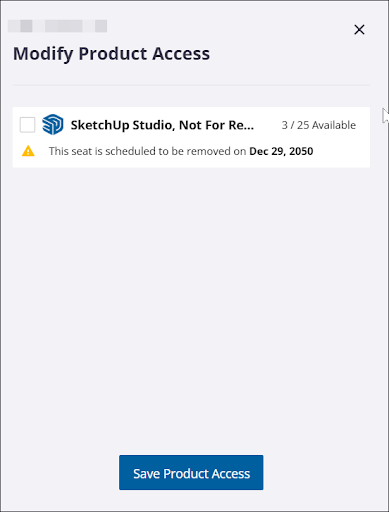
- Click Save Product Access to assign the product to that user.
To remove access to a product from a user, follow the same steps and remove the check from the box next to the product you want to remove access to.
Still need help?
Technical support from our New Zealand team is available to customers with a current Procadsys SketchUp Plus subscription: Pro Plus, Pro Scan Plus, Pro Civil Contractor Plus, Advanced Workflows Plus or Studio Plus. Self-help articles are public.
Contact SketchUp support