When you open LayOut, the Welcome Window appears. Use it to create files from templates or continue work on existing projects.
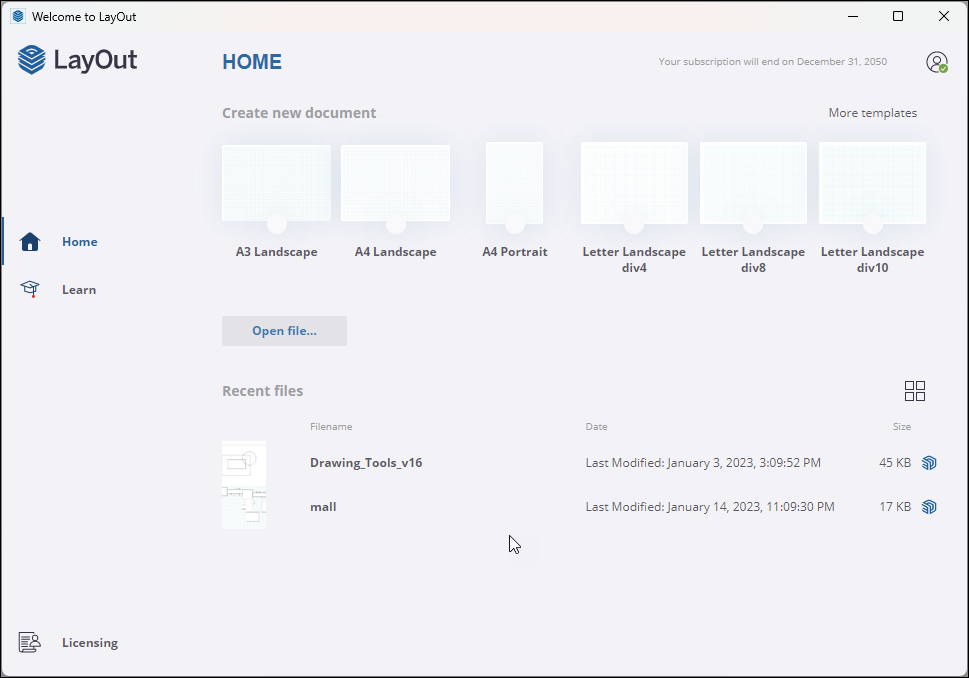
Choose a template to create a new LayOut document. Basic templates set the paper size and orientation. Templates with title blocks suit drawing sets, presentations or storyboards. You can also create your own template.
The Home page shows the most common templates. Click More Templates to see all templates in these categories:
- Paper - Templates for common paper sizes, with graph paper and plain paper options for each size.
- Storyboard - Templates with preset boxes on each page to show different angles, features or views of a 3D model. Choose from three box widths.
- Titleblock - Choose from Contemporary, Modern, Rounded, Simple, Simple Serif or Traditional Titleblock styles.
- My Templates - The My Templates tab appears if you have created custom templates.
To continue working on an existing document, click Open File or find the document in the Recent Files section.