Click an element with the Select tool ( ) to select it in LayOut. You can then move, resize, rotate or edit the selection.
As in SketchUp, you can select multiple elements in LayOut:
- To add elements to the selection, hold down Shift and click each additional element.
- To remove an element from the selection, hold down Shift and click it.
- To select several elements at once, click and drag a selection box around them. This creates a crossing selection or a window selection.
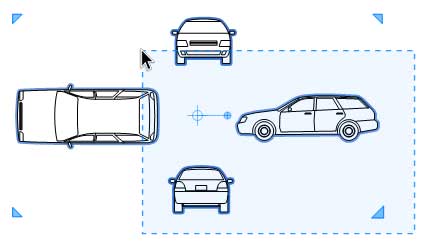
Crossing and window selections work as they do in SketchUp. For a crossing selection, click and drag from right to left. This selects everything inside the box, including elements only partly inside it, as shown in the following figure.
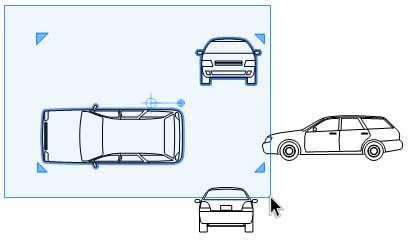
For a window selection, click and drag from left to right. This selects only elements completely inside the box, as shown in the next figure.
Use these modifier keys to control how you change a selection:
- Hold down Shift as you click to add elements to the selection or remove selected elements.
- Hold down Option to add elements to the selection without removing any.
- To remove only what you click from the selection, hold down the keys as you click.
To zoom in on your selection, use Zoom Selection in the context menu or the View menu. You can also use Alt + Z (or Option + Z on Mac). Zoom Selection is also available as a customisable toolbar icon.