Skip to content
07-848 2005

SketchUp, SketchUp for Web and iPad

SketchUp Assistant for iPad

Use AI Assistant in SketchUp for iPad to answer SketchUp questions with AI Help or create 3D assets with Generate Object.

Use AI Assistant in SketchUp for iPad to answer SketchUp questions with AI Help or create 3D assets with Generate Object. Use AI Render to combine your active model's viewport with a text prompt or preset style to create an AI-generated image.

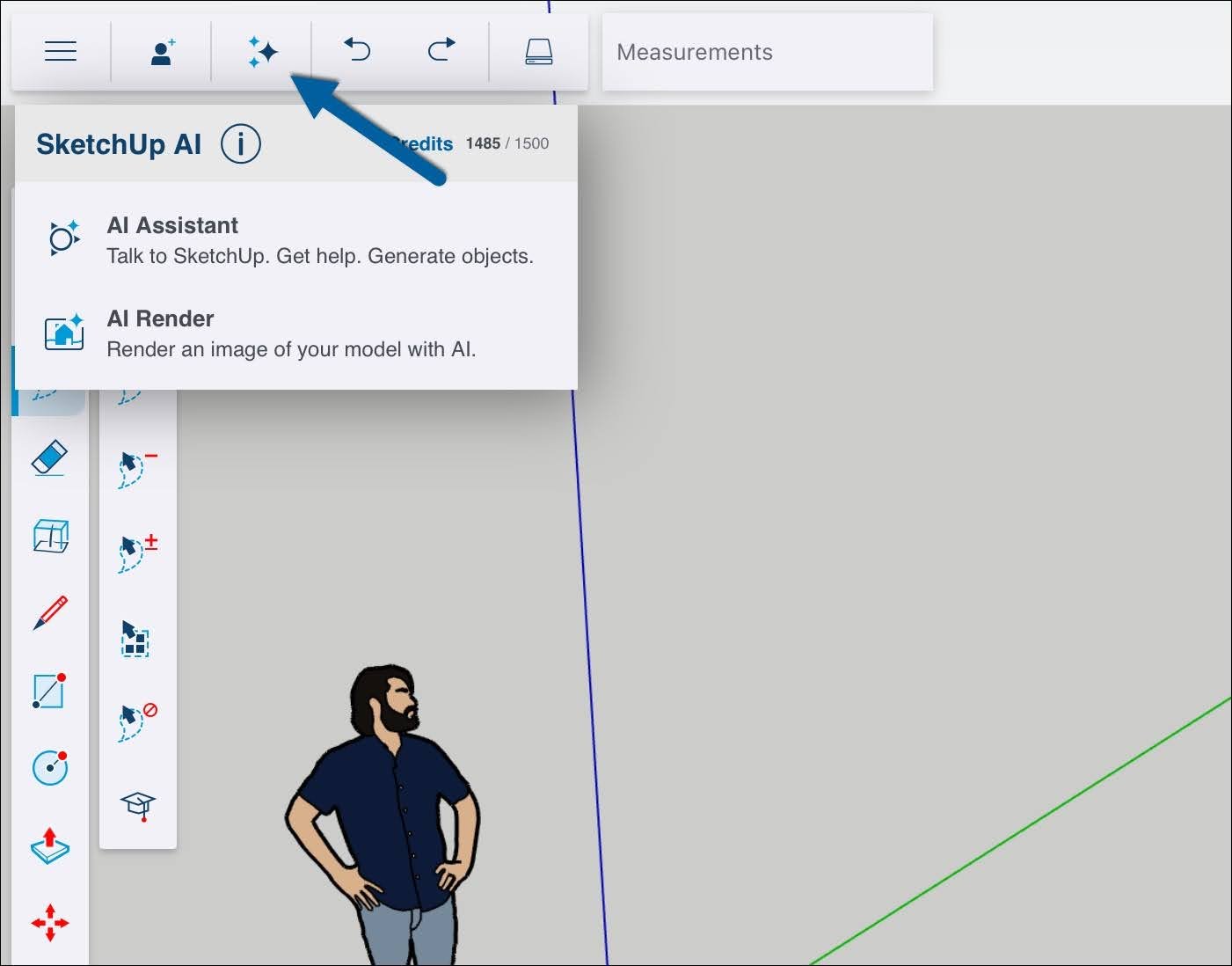
To start, tap SketchUp AI (SketchUp AI icon.) in the Menu bar.

SketchUp AI menu showing AI Assistant and AI Render, with an arrow pointing to the SketchUp AI icon in the Menu bar.

Tap AI Assistant to open the Assistant modal. Tap Help (Help icon.) to open the AI Help interface. See AI Help for instructions.
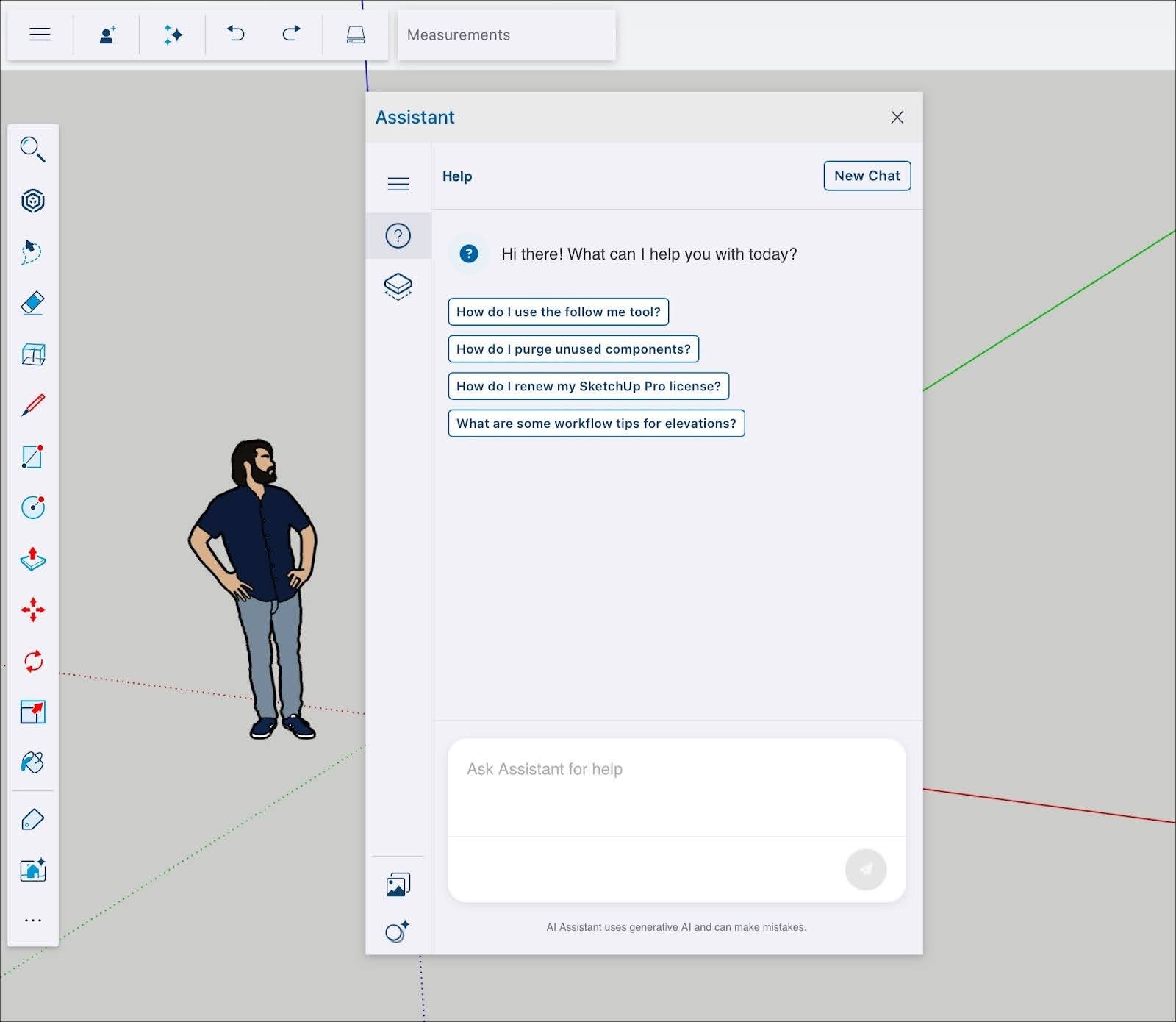
Assistant modal with Help selected, suggested questions and the 'Ask Assistant for help' text box.

Tap Generate Object (Generate Object icon.) to open the Generate Object interface. See Generate Object for instructions.
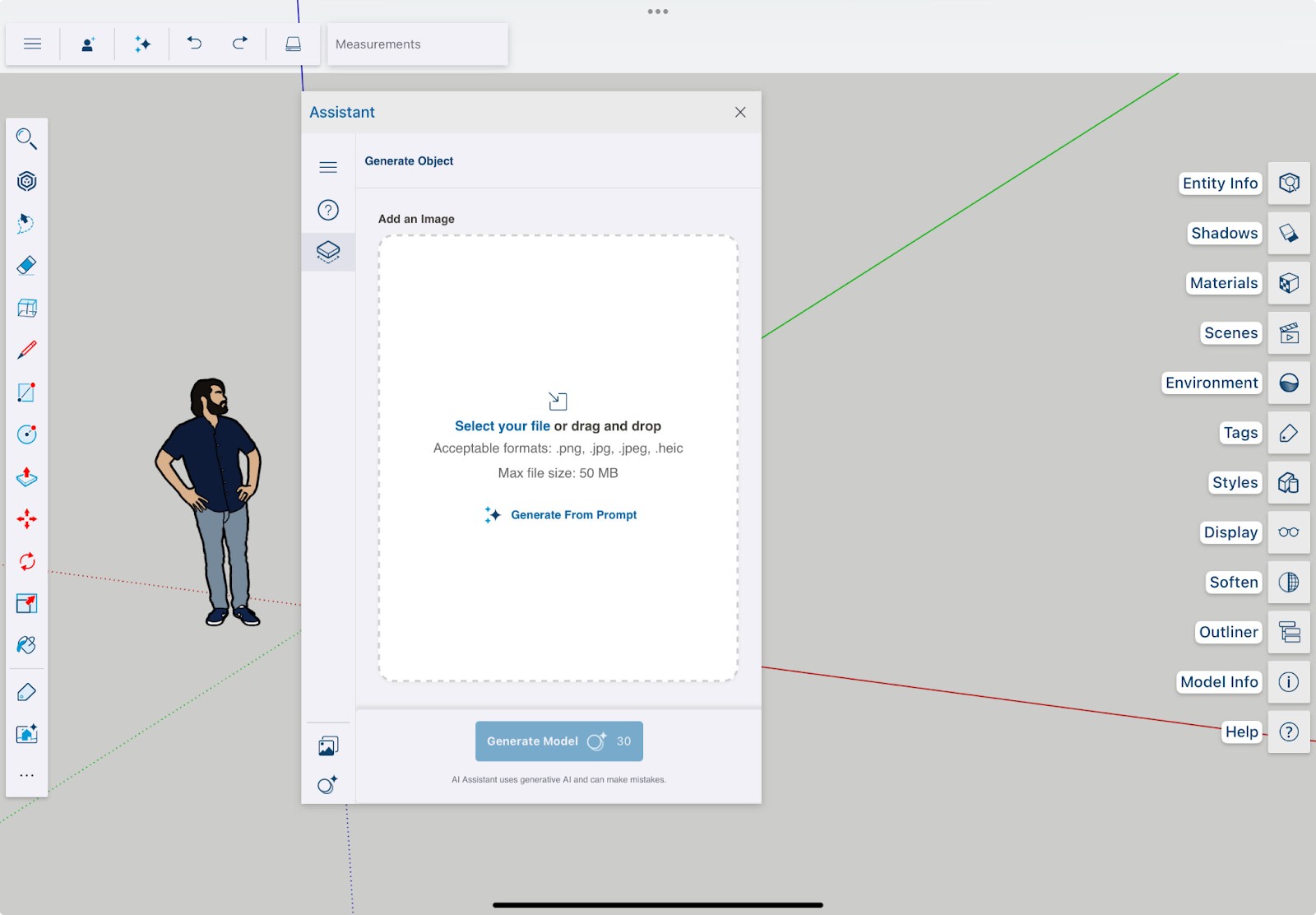
Assistant modal with Generate Object selected, showing 'Select your file' and 'Generate From Prompt' options.

Select AI Render to open the AI Render modal. See AI Render in SketchUp for iPad for instructions.

AI Render interface in SketchUp for iPad, showing an interior model, prompt field and Generate button.

Procadsys customer support

Still need help?

Licences, renewals and billing

Our New Zealand team looks after your SketchUp licences, renewals and invoices.

Monday to Friday, 9:00 am to 4:30 pm NZ time, excluding New Zealand public holidays.

Technical problems

Technical support from our New Zealand team is available with a current Procadsys SketchUp Plus subscription: Pro Plus, Pro Scan Plus, Pro Civil Contractor Plus, Pro Advanced Workflows Plus or Studio Plus.

Initial response within one business day.

On another SketchUp plan? Technical problems go to Trimble support.