Shortcuts
One of the best ways to model efficiently is by using keyboard shortcuts for the commands you use most often. The Shortcuts section of Preferences offers a list of every tool or command you can assign a shortcut to.
Last updated 17 July 2026
One of the best ways to model efficiently is by using keyboard shortcuts for the commands you use most often. The Shortcuts section of Preferences offers a list of every tool or command you can assign a shortcut to.
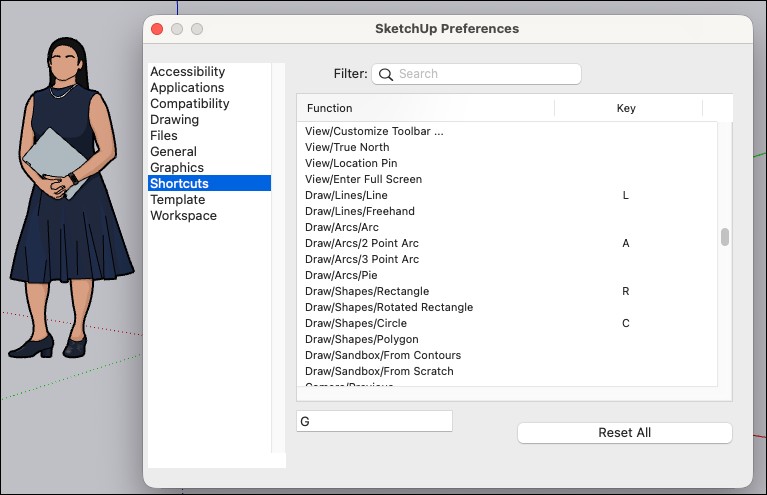
SketchUp already includes some default keyboard shortcuts. You can further customize how you use SketchUp by editing those shortcuts, or by creating ones for tools and commands that don’t have them. Take a look at the following articles to get started:
- Default Keyboard Shortcuts – A comprehensive list of all SketchUp’s default keyboard shortcuts along with links to articles on how to use those tools and commands.
- Creating and Editing Shortcuts – Learn how to modify existing shortcuts or create new ones.
- Importing and Exporting Shortcuts – (Windows Only) A guide to saving, importing, and exporting shortcut preferences.
Still need help?
Technical support from our New Zealand team is available to customers with a current Procadsys SketchUp Plus subscription: Pro Plus, Pro Scan Plus, Pro Civil Contractor Plus, Advanced Workflows Plus or Studio Plus. Self-help articles are public.
Contact SketchUp support