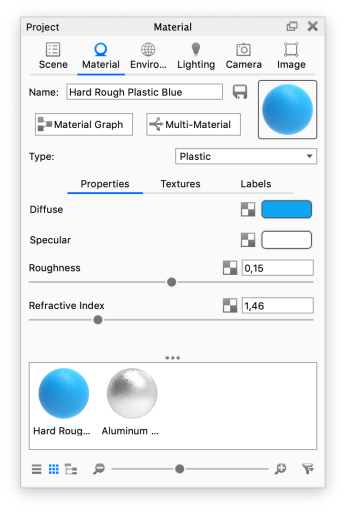
Edit materials in the Material Tab of the Project Window.
Open Material Properties using any of these four methods:
- Double-click a part on a model in the Real-time View.
- Double-click the material thumbnail in the In-Project Library.
- Right-click a part in the scene tree and select Edit Material.
- Select the part in the Scene Tree and select Edit Material from the Properties pane.
Each method opens Project Window > Material > Properties for the material assigned to the part. Your changes appear as you edit in the Real-time View. For details about material settings and types, see Material Types.
If you use KeyShot Studio Pro, you can also edit materials in the Material Graph.