KeyShot Studio
Geometry Node Types
The Geometry nodes will transform the shape of your geometry in a non-destructive manner. This way you can always replace the material and the geometry will return to the original shape.
Last updated 3 August 2026
The Geometry nodes will transform the shape of your geometry in a non-destructive manner. This way you can always replace the material and the geometry will return to the original shape.
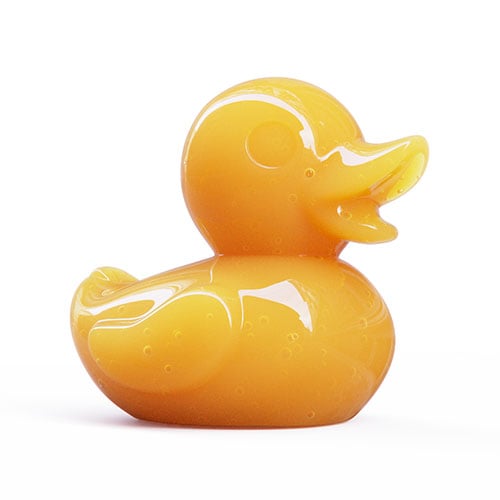
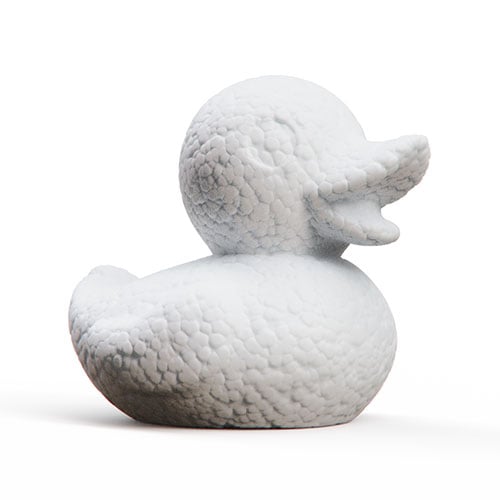
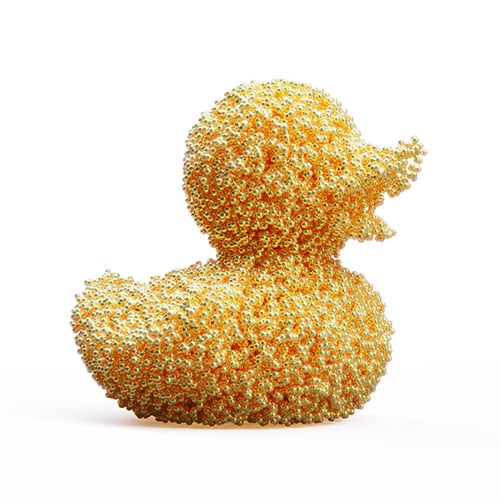

Bubbles in mango juice | Styrofoam displacement | Gold sprinkle flakes | Fuzz applied to the same model |
Execute Geometry
Geometry nodes are the only nodes that do not update your material in real time when you edit/set them up.
After any edits to the material you must “execute geometry” before you can see the effect in the Real-Time View. This can be done in a number of ways.
- The
 Execute Geometry Node button in the properties panel will only refresh the current material.
 - The Geometry Nodes button in the Material Graph ribbon will refresh all geometry nodes in the scene.
- The hotkey Alt+G will refresh all geometry nodes in the scene.
- In the Real-time View an indicator
 in the top right corner will show that the scene contains un-executed geometry nodes. Click it to refresh all geometry nodes.