KeyShot Studio
Image Tab
In the Image tab you can control global settings for your images
Last updated 3 August 2026
In the Image tab you can control global settings for your images
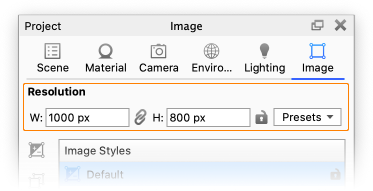
Resolution The Resolution can be set in specific pixels or with a fixed ratio. You can also choose from a number of standard presets – and even add your own presets to suit your workflow. The Resolution page offers more details. |
Image Styles
The Image Style List allows you to create multiple Image Styles in the same scene.
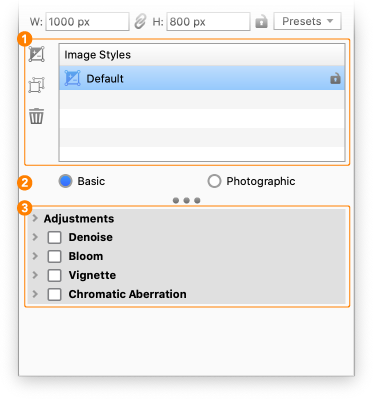
2. Image Style Type
|
 Add Image Style – Adds a new Image Style to the list.
 Duplicate Image Style – Adds a copy of the current Image Style to the list.
 Delete Image Style – Deletes the current Image Style.
 Photographic – Offers more versatile adjustments compared to the Basic style e.g via Tone Mapping and Curves. See the
 3. Properties
This is where you set up the current Image Style. Learn more in the Image Styles section.