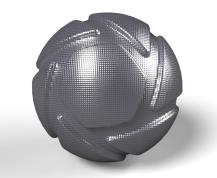
Use the Measured material type to import X-Rite Appearance exchange Format (AxF) and Radiance BSDF files. These formats store vendor-neutral digital descriptions of how specific physical materials scatter light. |
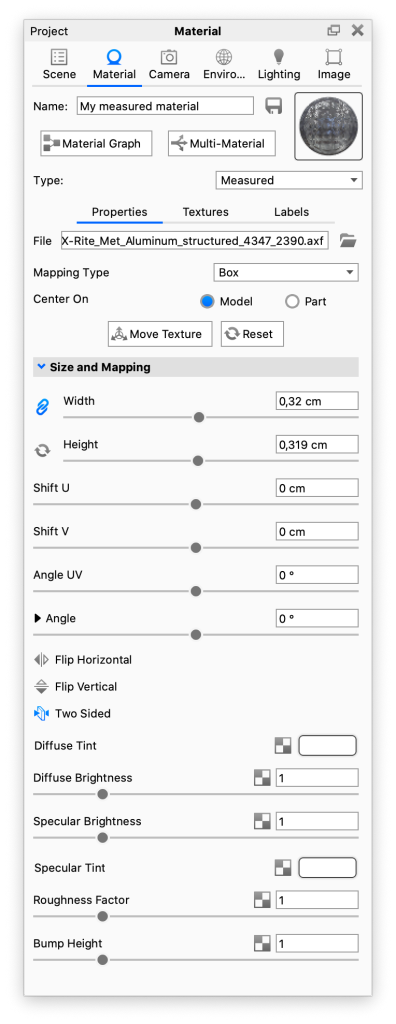
The X-Rite AxF Material Format AxF is a digital file format developed by X-Rite to describe material appearance in a standardised way. An X-Rite TAC7 Scanner scans physical material samples and records their digital material specifications in AxF files. You can get AxF files from digital material catalogues such as the PatoneLIVE Cloud, then import them directly into KeyShot Studio using the Measured material type. See X-Rite's AxF guide to learn about the format and how to create AxF files. Download AxF sample files from X-Rite. The Radiance XML BSDF Format BSDF (bidirectional scattering distribution function) is a mathematical model that describes how light interacts with surfaces. KeyShot Studio supports the XML BSDF file format developed for the Radiance Renderer. These files contain measured BSDFs that define how a material scatters light and how it appears. Importing Measured Materials You can import .Axf materials directly into the material panel or the Library. You can also use the Material Importer. When editing a material in Projects > Materialtab, select Measured from the Material Type drop-down. The part appears black, and a File location field appears in the Properties tab. Select the folder icon |
 to choose a measured material file. Both .axf and .xml file extensions are supported.