Use a Trimble ID to access SketchUp's online resources, including 3D Warehouse, Extension Warehouse, and SketchUp.
To create a Trimble ID, open a supported version of SketchUp or visit SketchUp's website and click Sign In. On the Sign In page, follow these steps:
- Click Create a Trimble ID.
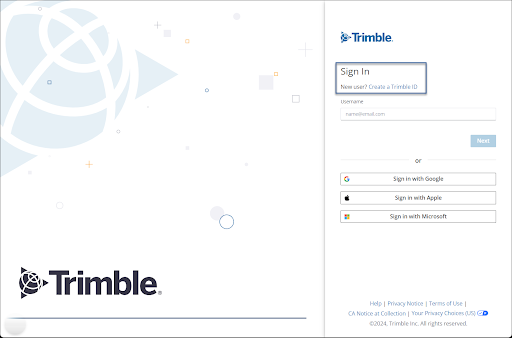
- Select your region and click Next.
- Enter your First Name, Last Name, and Email address.
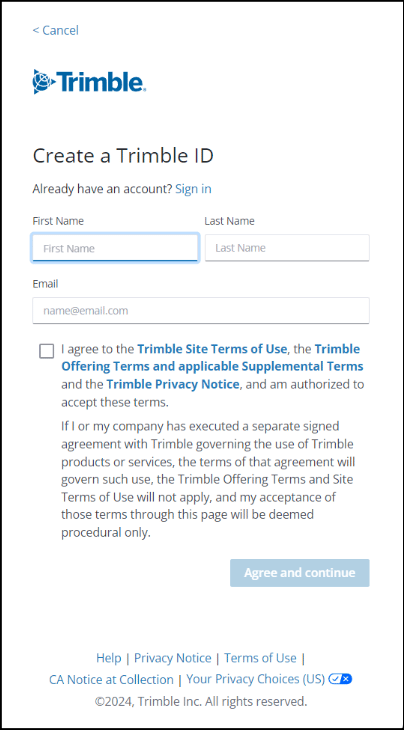
- Review and agree to the Trimble Site Terms of Use. Click Agree and Continue.
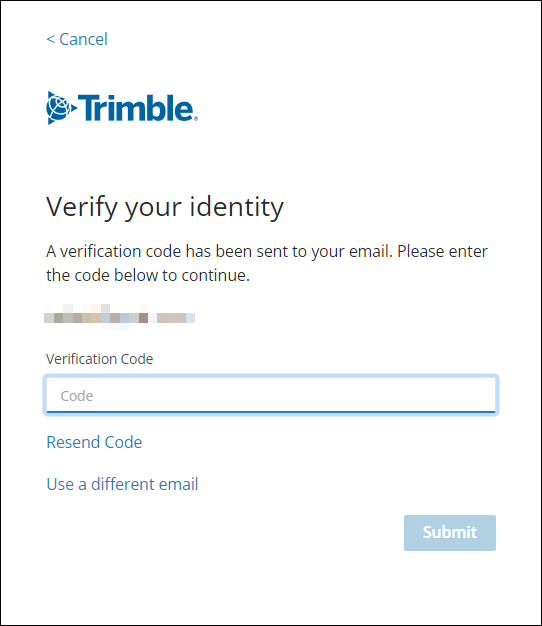
- Trimble sends a verification code to the email address you entered. If the email does not arrive, check your spam messages.
- Enter your verification code and click Submit.
- Create a password for your account. Your password must contain:
- At least 8 characters
- A number (0-9)
- At least one uppercase and one lowercase letter
- A special character (!@#$%^&*-+)
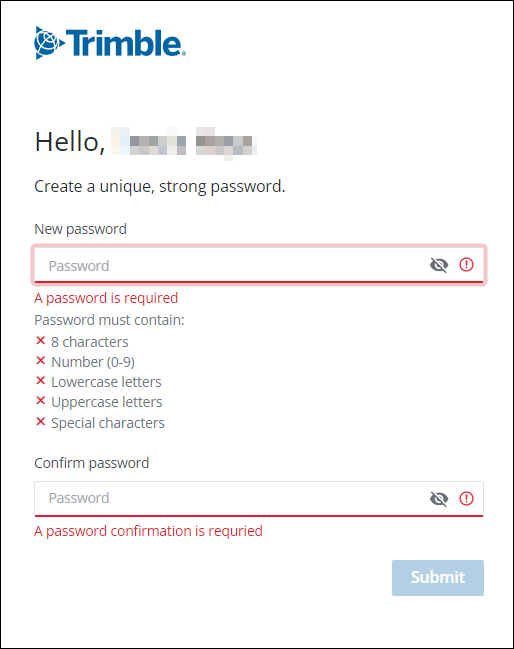
- Click Submit. The secure passkey page opens.
- To sign in using a passkey, click Create a Passkey. To skip this step or use another multi-factor authentication (MFA) method, click Skip For Now.
- In Account Preferences, confirm your information and click Next.
- If you created a passkey, you can now set up one or more additional MFA methods. If you did not set up a passkey, set up at least two MFA methods instead. Click Count Me In to continue.