Saving a LayOut Document
To save your LayOut document, follow these steps:If this is the first time saving your document, select File > Save or File > Save As.Navigate to the location on your hard drive where you want to save the document.In the File Name box, type a name for your document.Click Save.LayOut uses an auto-save function and
Last updated 17 July 2026
To save your LayOut document, follow these steps:
- If this is the first time saving your document, select File > Save or File > Save As.
- Navigate to the location on your hard drive where you want to save the document.
- In the File Name box, type a name for your document.
- Click Save.
LayOut uses an auto-save function and backup files to help make sure your documents aren’t lost to crashes or file corruption.
After saving a document for the first time, LayOut saves a backup every 5 minutes by default. To change these settings, see Setting Preferences.
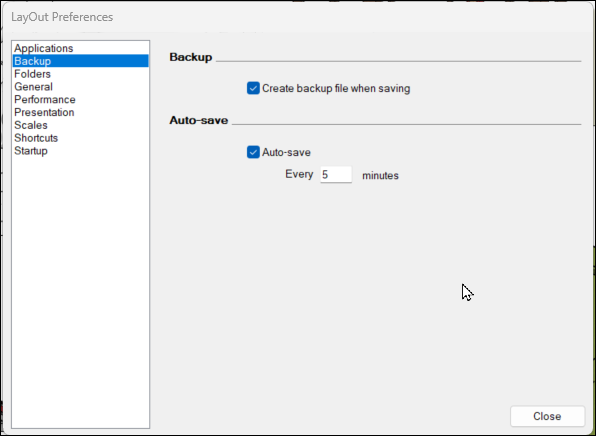
Backup files are saved in the same folder you’ve set as the default for your other LayOut files.
Still need help?
Technical support from our New Zealand team is available to customers with a current Procadsys SketchUp Plus subscription: Pro Plus, Pro Scan Plus, Pro Civil Contractor Plus, Advanced Workflows Plus or Studio Plus. Self-help articles are public.
Contact SketchUp support