Use the Effects section of the SketchUp Model panel to adjust Environments, Shadows and Ambient Occlusion. These effects add detail and depth to your model.
Environments
Environments add a panoramic background and image-based lighting to your SketchUp model. They provide real-world lighting and reflection values based on the location. Add or change your model's environment in the Effects section of the SketchUp Model panel.
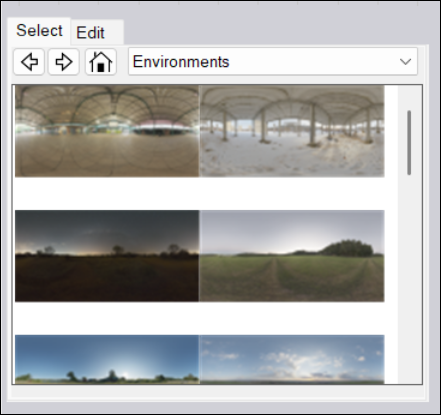
In the Select tab, view the environments already in your model or add a default environment. Select an environment, then adjust its options in the Edit tab.
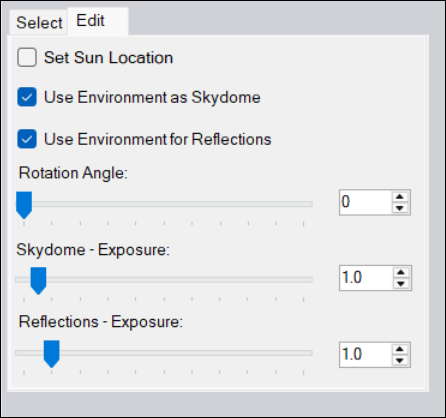
For more about using environments in SketchUp, see Adding an Environment to a Model.
Shadows and fog
Use the Shadows settings to set a specific time of year and time of day. These settings affect the light and shadows in and around your model. Use Fog to add simulated fog.
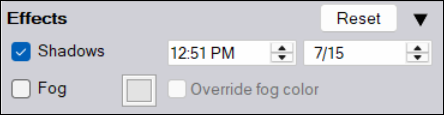
Turn on Shadows to set a day and time. Turn on Fog to show fog in your model. You can adjust the fog colour or override it. For details on how these settings affect your SketchUp model, see Casting Real-World Shadows or Letting the Fog Roll into Your Model.
Ambient occlusion
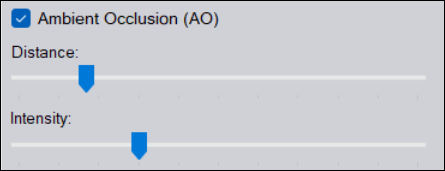
Use Ambient Occlusion to add depth or intensity to the lines in your model. Select Ambient Occlusion to enable the Distance and Intensity sliders. Adjust Distance to increase or decrease how far the occlusion effect extends from your edges. Adjust Intensity to increase or decrease the depth and strength of the shading.