Use collections in 3D Warehouse to organise models, collections and materials into groups. You can include content you find, content you've uploaded to 3D Warehouse, or both. For example, when you search 3D Warehouse for tiny house models, add the ones you like to a tiny house collection so you can find them again. To learn about the models and materials available in 3D Warehouse, see Models in 3D Warehouse and Materials in 3D Warehouse.
Collections can be public or private. Public collections appear in search results for all 3D Warehouse users. Only you can see your private collections in 3D Warehouse.
Find your collections in the My Collections tab of your 3D Warehouse Content Library. If you have made a collection searchable, you can also find it in 3D Warehouse. In My Collections, you can create collections and add models, materials or other collections. You can also edit and manage existing collections.
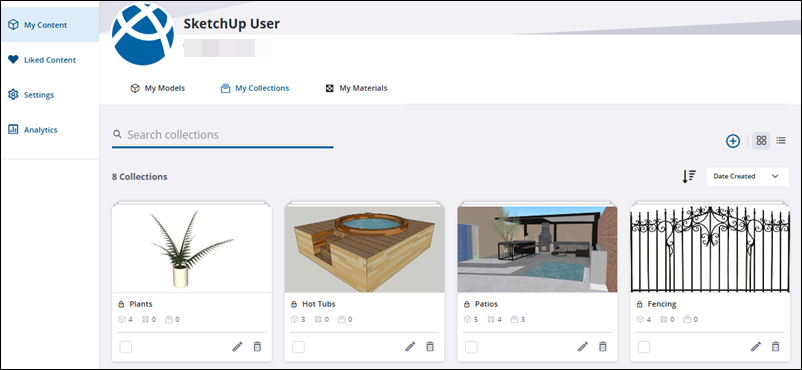
These articles explain how to use collections in 3D Warehouse:
- Collection Details explains what information you can add to a collection.
- Creating Collections explains how to create collections and add content.
- Adding Content to Collections explains how to add models, collections and materials to your collections.
- Editing Collections explains how to add or change collection details and content.
- Deleting Collections explains how to delete your collections.